Open Graph CheckerLink preview inspector
Enter a link and see the preview card it makes, the Open Graph and Twitter tags behind it, and what is missing.
Livesince 2026
Checker
Preview
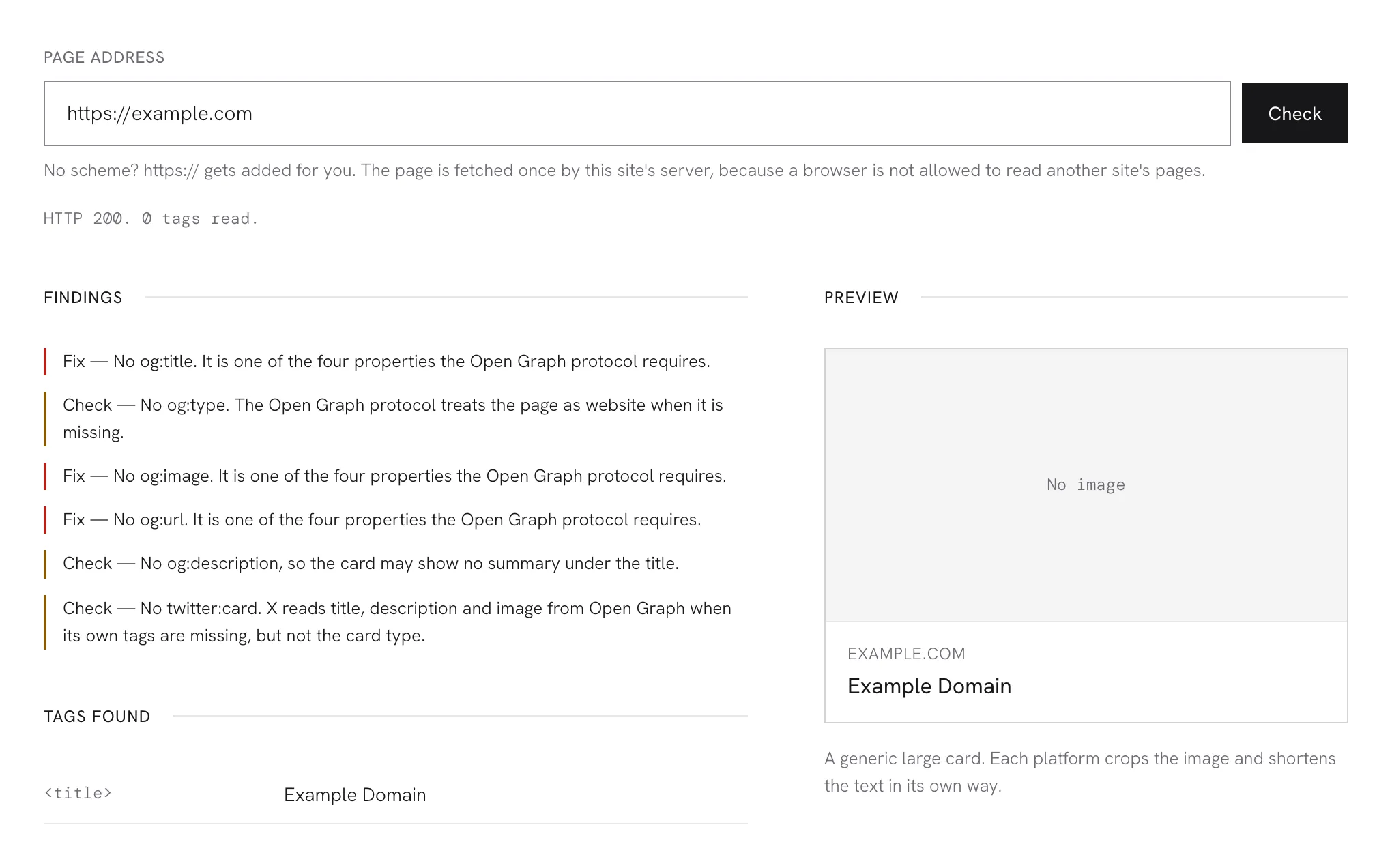
No image
A generic large card. Each platform crops the image and shortens the text in its own way.
Findings
Tags found
You usually find out a link preview is broken after you post it: no image, the site name where the headline should be, or a description lifted from a cookie banner. By then the platform has already cached what it saw.
This checker fetches the page once, reads the Open Graph and Twitter tags out of its head, and draws a card from them. Anything missing, or likely to show up badly, is listed next to the tag responsible.
How it works
- Enter the address of a page, with or without https://.
- The page is fetched and its tags are read. The image is then loaded by your own browser, so its real size can be measured.
- Look at the card, then at the list beside it: what to fix, what to check, and every tag that was found.
Features
- The image is measured, not taken on trust. The checker loads the actual file and compares its pixels with Facebook’s published minimum and recommended sizes, whatever og:image:width claims.
- Required tags are named. The Open Graph protocol requires four properties. Any that are absent are listed by the exact tag to add.
- Redirects are followed and shown. If the address redirects, the status line says where it ended up, since that is the page whose tags count.
- Relative image paths and conflicting URLs are caught. An og:image without a full address, or an og:url that disagrees with the canonical link, gets its own line.
- Nothing to sign up for. Enter an address and read the answer.
FAQ
Does it cost anything? No, and there is no account to make. That is how it stands today rather than a promise about next year. If that ever changes, this page says so before it does.
Why does Facebook or X show something different? Each platform runs its own crawler, caches what it saw, and crops and shortens cards by its own rules. This tool shows what your tags say right now. If a platform still shows an old card after you fix them, that is its cache, and its own sharing debugger is the way to refresh it.
Why did the check fail for a page that opens fine in my browser? The page is requested from Cloudflare’s network, not from your browser, so anything that needs your login, your cookies, or a human check will turn the request away. Pages that only add their tags with JavaScript after loading also come back empty, because the tags are read from the HTML as it is delivered.
Is anything about me collected? The address you enter goes to this site’s server, which requests that page once and sends back the tags. The tool saves neither the address nor the page, though Cloudflare’s request logs record the address for up to seven days, as they do for every request here. The preview image is loaded by your browser straight from where the page says it lives, so that server sees your visit. The privacy notice has the details.
Is there a limit? About three checks every ten seconds from one address; go past that and the next ten seconds are refused. The count is approximate, so an extra check sometimes slips through. Someone checking their own pages will rarely notice it. It is there to keep the tool from being used as a scraper.